
Creator Community App Development
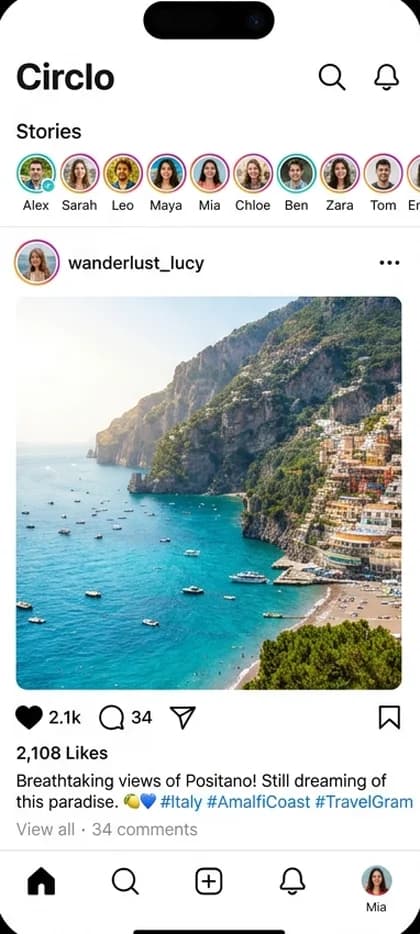
A creator community app sits within social media and focuses on feeds, short video, creator tools and community networks. The product has to work for every role involved — member app, creator tools, admin & moderation — and its most important capability is community layer.
CloneAppTech designs and builds original apps, dashboards and integrations around your brand, pricing and operating rules.

Business model
How a creator community app makes money
Most creator community app projects follow one of three models: ad-supported network, creator economy, private or niche community. Free to use; revenue from advertising and sponsored content. The right choice depends on who owns inventory or supply, how you earn per transaction and how much operational control you want.
Ad-supported network
Free to use; revenue from advertising and sponsored content.
Creator economy
Subscriptions, tips and paid content shared with creators.
Private or niche community
Membership fees or B2B licensing for closed networks.
Target audience & use cases
Who this solution is for
- Creators and media businesses
- Community founders with a defined audience
- Companies adding social or entertainment features
- Existing social media businesses replacing manual or outdated systems
Core application features
What the product needs on day one
- Profiles, follows and groups
- Feed with posts and reactions
- Reporting and moderation queue
- Notifications that respect user preferences
- Feed ranking
- Media upload and transcoding
- Stories or short video
- Direct messaging
- Moderation tools
- Creator monetisation
Apps & user roles
Features for every role involved
Only the roles that apply to this business model are included.
01
Member app
- Profile, follow and connections
- Feed with posts, stories or short video
- Comments, reactions and sharing
- Notifications and DMs
02
Creator tools
- Upload, edit and schedule
- Analytics
- Monetisation settings
03
Admin & moderation
- Report queue and content review
- Keyword and media filters
- User sanctions
- Trust & safety analytics
Workflow
How a typical community layer flow runs
- 1
User signs up and picks interests
- 2
Feed ranks content from follows and topics
- 3
User creates or engages with posts
- 4
Moderation filters and reviews reported content
- 5
Notifications bring users back
Technology & integrations
Technical considerations
- Moderation tooling — filters, reports and review queues — must ship with the first release, not later.
- Video requires transcoding, adaptive streaming and a CDN — a significant running cost.
- Feed ranking can start simple (recency + follows) and evolve.
- Moderation needs both automated filters and human review.
- Privacy controls and data export to meet regulations.
Compliance note: Social platforms may face intermediary, child-safety and data-protection rules. Plan age gating and takedown procedures.
Customisation options
Make it yours
- Your brand identity, colours, typography and app icon
- Business rules for community layer configurable from the admin panel
- Languages, currencies and regional tax settings
- Payment gateways and payout methods available in your country
- Commission, fee or subscription structure
- Optional modules added in later phases
Development scope
A typical first release includes the member app, creator tools, admin & moderation, a backend API, cloud hosting setup and the integrations for community layer. Optional modules are planned into later phases.
Factors affecting pricing
What drives the cost of a creator community app
Medium-level projects typically start from ₹1.5 Lakh ($1,800). Your exact quote depends on these factors.
- Feeds and moderation
- Media types (photo vs. video vs. live)
- Feed algorithm sophistication
- Moderation tooling
- Messaging
- Monetisation features
Project phases
Estimated phases, testing and launch
Durations are agreed after discovery; testing, deployment and maintenance are part of every plan.
Phase 1
Discovery
Confirm the creator community app business model, user roles and must-have features.
Phase 2
Design
Original user flows and interface design for each app and the admin panel.
Phase 3
Build
Mobile apps, backend APIs and community layer.
Phase 4
Test
Functional, device and load testing of critical flows.
Phase 5
Launch
Store submission, cloud deployment and monitoring.
Phase 6
Improve
Maintenance and roadmap features based on real usage.
FAQs
Creator Community App questions
How much does it cost to build a creator community app?+
Cost depends on the roles you need (member app, creator tools, admin & moderation), the depth of community layer, integrations and platforms. Medium-level builds typically range from ₹4–10 Lakh ($4,800–$12,000) for multi-role apps, and from ₹1.5 Lakh ($1,800) for a focused first release; we confirm the exact quote after reviewing your requirements.
How do I keep the community safe?+
Clear guidelines, automated filters, reporting and a human review console.
How do I handle harmful content?+
Combine automated filters, user reporting, a review console and clear community guidelines. Some markets have legal takedown timelines.
Related
Explore related solutions
Related app models
Development services
Next steps
Free consultation
Planning a creator community app?
Tell us your market and must-have features. We'll suggest a realistic first release for your creator community app and the next steps.