Nykaa Clone App Development
Building a Nykaa-style app means turning a familiar fashion & lifestyle shopping idea into software that fits your market. Success depends less on the number of screens and more on getting storefront right from the first release.
It is inspired by the publicly known Nykaa business model, but it is not affiliated with, endorsed by or a copy of Nykaa. CloneAppTech designs and builds original apps, dashboards and integrations around your brand, pricing and operating rules.

Business model
How a Nykaa-style app makes money
Most Nykaa-style app projects follow one of three models: brand store, curated marketplace, resale or rental. Boutiques or brands sell through your platform. The right choice depends on who owns inventory or supply, how you earn per transaction and how much operational control you want.
Brand store
Direct sales of your own collections.
Curated marketplace
Boutiques or brands sell through your platform.
Resale or rental
Pre-owned or rented items with authentication and cleaning.
Target audience & use cases
Who this solution is for
- Clinics, studios and service providers
- Lifestyle brands and wellness businesses
- Start-ups serving families and personal care
- Existing fashion & lifestyle shopping businesses replacing manual or outdated systems
Core application features
What the product needs on day one
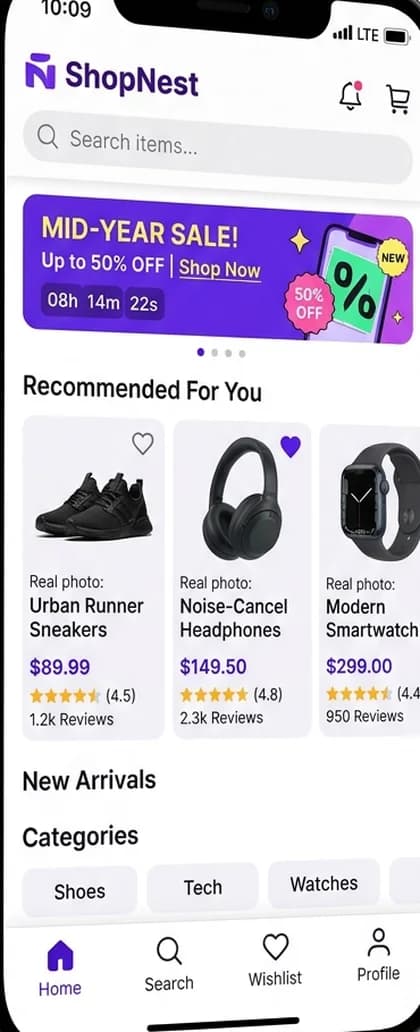
- Catalogue with variants and filters
- Cart, coupons and checkout
- Order tracking and returns
- Personalised recommendations
- Visual merchandising
- Size recommendations
- Virtual try-on
- Wishlist and drops
- Exchange flows
- Authentication for luxury
Apps & user roles
Features for every role involved
Only the roles that apply to this business model are included.
01
Shopper app
- Lookbooks and visual search
- Size guides and fit notes
- Try-on where relevant
- Returns and exchanges
02
Seller / boutique panel
- Collections and variants
- Orders and returns
03
Admin panel
- Authentication and grading
- Campaigns
- Returns analytics
Workflow
How a typical storefront flow runs
- 1
Shopper browses collections or searches by image
- 2
Size and fit guidance supports selection
- 3
Order ships with tracking
- 4
Exchange or return is requested if needed
- 5
Resale items are graded before listing
Technology & integrations
Technical considerations
- Search quality and image performance have the largest impact on conversion.
- AR try-on uses device AR kits or third-party SDKs.
- High-quality imagery with fast loading.
- Inventory sync with stores for click-and-collect.
- Prescription capture for eyewear.
Customisation options
Make it yours
- Your brand identity, colours, typography and app icon
- Business rules for storefront configurable from the admin panel
- Languages, currencies and regional tax settings
- Payment gateways and payout methods available in your country
- Commission, fee or subscription structure
- Optional modules added in later phases
Development scope
A typical first release includes the shopper app, seller / boutique panel, admin panel, a backend API, cloud hosting setup and the integrations for storefront. Optional modules are planned into later phases.
Factors affecting pricing
What drives the cost of a Nykaa-style app
Medium-level projects typically start from ₹1.5 Lakh ($1,800). Your exact quote depends on these factors.
- Catalogue, search and checkout
- Try-on and AR
- Catalogue imagery
- Marketplace vs. brand
- Resale grading
- Omnichannel integration
Project phases
Estimated phases, testing and launch
Durations are agreed after discovery; testing, deployment and maintenance are part of every plan.
Phase 1
Discovery
Confirm the Nykaa-style app business model, user roles and must-have features.
Phase 2
Design
Original user flows and interface design for each app and the admin panel.
Phase 3
Build
Mobile apps, backend APIs and storefront.
Phase 4
Test
Functional, device and load testing of critical flows.
Phase 5
Launch
Store submission, cloud deployment and monitoring.
Phase 6
Improve
Maintenance and roadmap features based on real usage.
FAQs
Nykaa Clone App questions
How much does it cost to build a Nykaa-style app?+
Cost depends on the roles you need (shopper app, seller / boutique panel, admin panel), the depth of storefront, integrations and platforms. Medium-level builds typically range from ₹4–10 Lakh ($4,800–$12,000) for multi-role apps, and from ₹1.5 Lakh ($1,800) for a focused first release; we confirm the exact quote after reviewing your requirements.
Can the app sync with my inventory?+
Yes, through your POS, ERP or e-commerce platform's API.
Is this an official Nykaa product?+
No. CloneAppTech is an independent development company. Nykaa is referenced only to describe a business model; all trademarks belong to their owners.
Can stores and online share inventory?+
Yes, with POS or ERP integration.
Related
Explore related solutions
Related app models
Related categories
Development services
Next steps
Free consultation
Planning a Nykaa-style app?
Tell us your market and must-have features. We'll suggest a realistic first release for your nykaa clone app and the next steps.